Telegram Inbox Details
Docs · Telegram Inbox Details
Interchat has a dedicated Telegram card on Intercom Inbox Details panel.
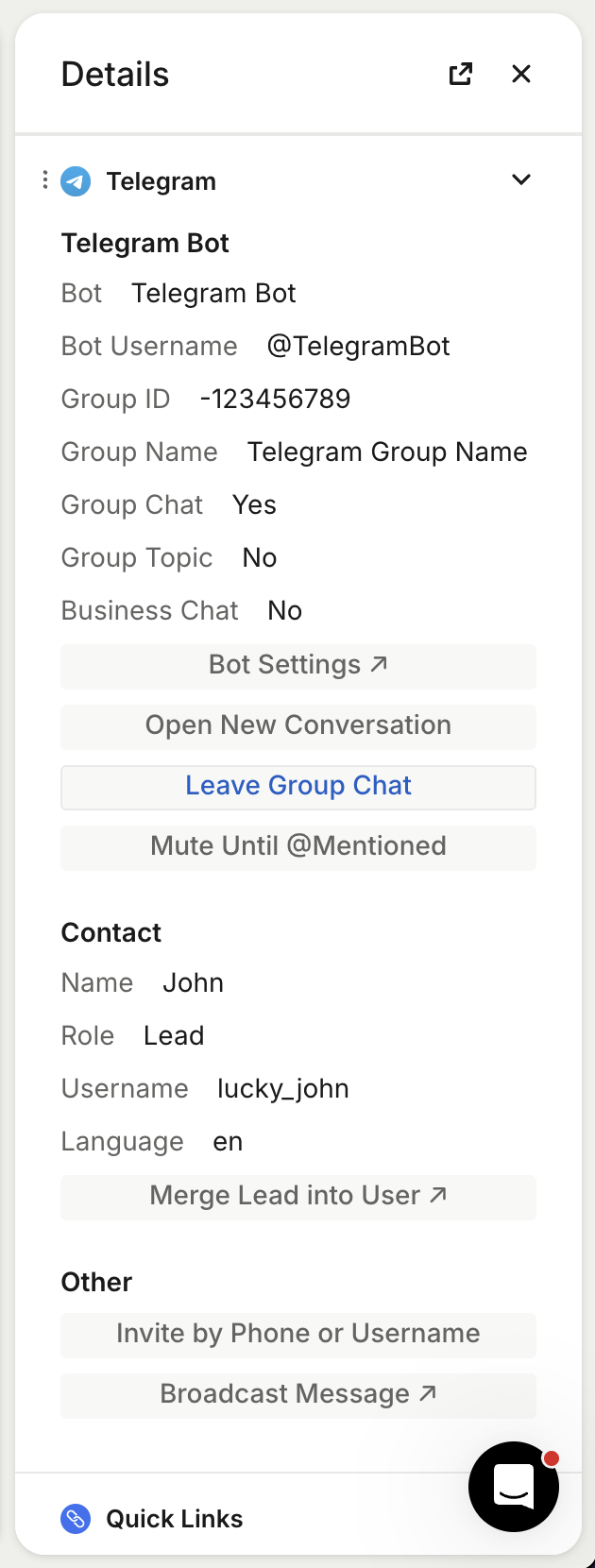
Telegram card shows chat details and list Telegram-specific actions without leaving the conversation.
Show Telegram details
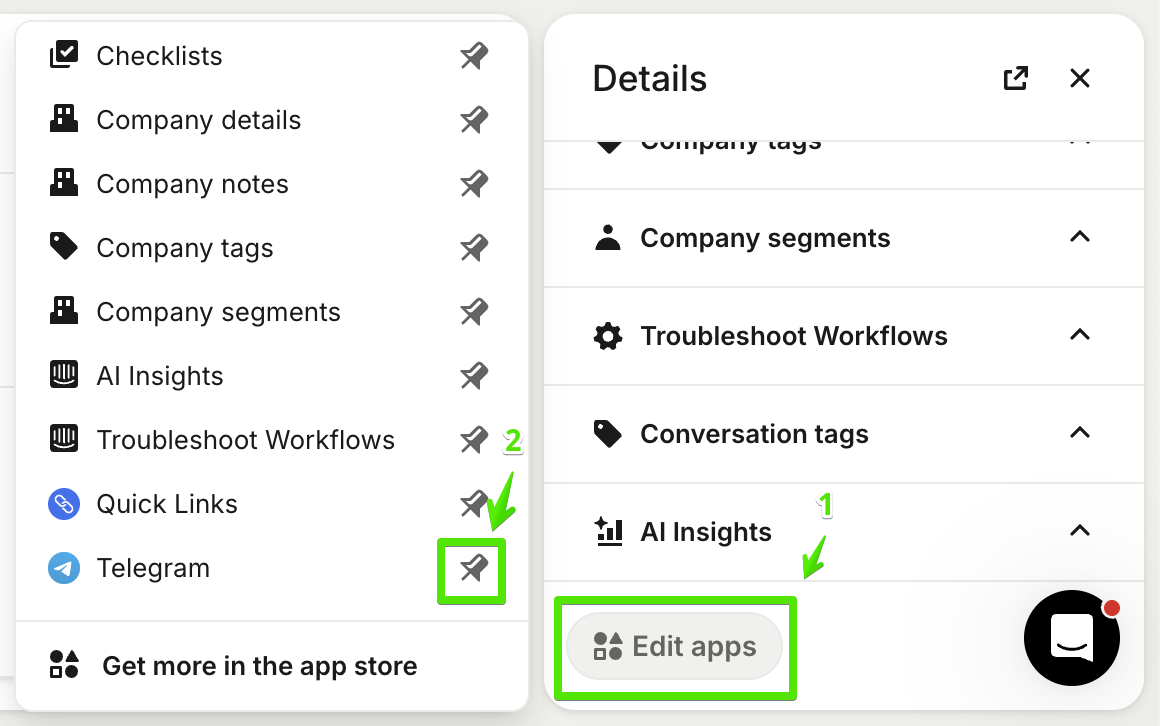
Telegram details are hidden by default. To show them:
- Open an Intercom conversation created by Interchat.
- Scroll to Details.
- Click Edit apps.
- Find Telegram in the app list.
- Click the Pin icon.
To move the Telegram details card higher in the panel, drag it by the dots icon next to the card name.
Telegram private chats
For private Telegram chats, the details card shows available chat information and these actions:
- Open New Conversation. Start a new Intercom conversation instead of using the current one.
- Request Phone Number. Ask the Telegram user to share their phone number.
- Request Location. Ask the Telegram user to share their location.
- Block User. Block the Telegram user for 1 hour, 1 day, or forever.
Telegram group chats
For Telegram group chats, the details card shows available group information and these actions:
- Open New Conversation. Start a new Intercom conversation instead of using the current one.
- Leave Group Chat. Remove the Telegram bot from the Telegram group.
- Mute Until @Mentioned. Mute and close the Intercom conversation until someone mentions the Telegram bot by @username.